Internal Communications Video: How Brands Keep Teams Informed, Aligned, and Engaged
Leaders and employees often see workplace updates differently, and email and slide decks lose tone and context. This guide covers the internal communications video formats that keep teams informed, aligned, and engaged, from CEO updates and onboarding films to training clips and recognition videos. It also covers planning a video around one clear message, filming leaders who are not used to cameras, producing across offices and remote teams, and measuring understanding rather than just views.
Internal Communications Video That Employees Actually Watch and Remember
Leaders and employees often see workplace updates differently, and an internal communications video is one way to close that gap. In Vimeo's 2020 survey with GlobalWebIndex, 54% of executives said they stream major updates at least weekly, but only 20% of staff agreed. Grammarly and The Harris Poll estimate that poor workplace communication costs U.S. businesses as much as $1.2 trillion a year.
Why use video for internal communications? A recording carries tone, puts colleagues on screen, and can be watched on each person's schedule. Below are the formats that fit each goal, plus how to plan, film, and distribute them.

Key Highlights
- Match each format to one goal: inform, align, or engage
- Give new hires the same baseline on day one
- Plan for locations and sound-off viewing
- Measure understanding, not only views
Why Internal Communications Fall Flat Without Video
Email and slide decks have clear limits:
- Email competes with a full inbox, so critical updates and policy updates are easy to skim or miss.
- Slide decks lose the speaker's tone once forwarded.
- Communication platforms multiply (email, chat, intranet), so information sharing across the organization fragments.
Grammarly's survey found business leaders estimate their teams lose 7.47 hours a week to poor communication, about $12,506 per employee a year. Vimeo's survey found 59% of executives prefer video to text, and employees at video-forward companies were 75% more likely to rate their engagement as excellent.
These are survey results, not proof that video causes engagement, but they show how differently leaders and staff can experience the same news. Video is easy to replay, pause, and forward, and video builds a shared reference people can revisit.
What an Internal Communications Video Is and What It Is Not
An internal corporate video is made for staff rather than customers. Employee communication videos include:
- A leadership message video
- An employee onboarding video
- Training video production
- A company announcement video
- Change management communication
It is not:
- A customer-facing marketing piece reused for staff
- An unplanned webcam clip
- A one-off sent with no plan for where people will find it
Internal video content for companies, and the internal communications video production behind it, works best as an ongoing channel beside email, with its own cadence.

The gap between effective internal communication and a clip nobody finishes is usually the production approach: a clear goal, a defined audience, and a runtime matched to the topic. Organizations communicate through many channels, so use video for news where tone and context matter more than a one-line reminder. Choosing the right internal communication format is a planning decision, made before anyone picks up a camera.
The Internal Video Formats That Keep Teams Informed
When everyone needs the same facts, three formats do most of the work:
- CEO update video: a recurring update on where the company stands. A monthly or quarterly schedule lets people know when to expect it.
- Company announcement video: launches, leadership changes, or mergers, explained once so the news is not reinterpreted by each manager.
- Update videos for policy changes: a leader explaining the reasoning on camera gives staff context a memo leaves out, which helps leaders communicate effectively during organizational change.
The best internal communications video ideas start with one question: what must every employee understand after watching? One team can reuse one recording across the intranet, a team channel, and a manager talking-points pack, so each audience hears the same wording. Internal comms video ideas can also run as a series, such as a monthly leadership summary or a quarterly product update.
For internal communications videos example formats, browse these examples and other corporate internal video examples.
The Internal Video Formats That Keep Teams Aligned
Alignment is about getting everyone working from the same information.
A new-hire welcome film gives each person the same baseline. The business case is cost: SHRM estimates that replacing an employee costs 50% to 200% of annual salary, depending on level.
A repeatable film will not fix turnover alone, but it removes one source of inconsistency in the first weeks: the same welcome, the same policy walkthrough, and the same introduction to the mission, whether someone joins in January or August. Managers still lead the human side, and the recording handles the parts that should not change from person to person.
Ongoing training covers:
- Software walkthroughs and screen recordings
- Compliance and safety refreshers
- Explainer videos for new processes
L&D teams can store these training videos in an internal video library to help employees find answers without pulling a manager away. Tag each item by topic and owner, and retire clips when a process changes, so an outdated walkthrough does not circulate. Keep every produced video in one place so nobody searches old emails for a link.
The Internal Video Formats That Keep Teams Engaged
Engagement formats show the company's mission and company value through people rather than instructions:
- A company culture video shows what everyday work looks like.
- Employee recognition clips put a colleague's name and work on screen.
- A short recap after a town hall helps staff in other time zones catch up.
- A brief testimonial from a colleague explains how a new tool changed their work.

Video can help improve employee engagement when people see colleagues and leaders, not only text. A video to improve employee engagement works best with real staff speaking in their own words rather than scripted slogans. Give employees a way to respond, such as a comment thread or short poll, so the film starts a conversation.
How to Plan an Internal Communications Video That Gets Watched
Knowing how to make an internal communications video starts before the camera. A sound internal communication strategy covers five steps:
- Write the video message in one sentence. If it needs more, split it into two films.
- Name the audience and the channel, then pick the communication method that suits each group.
- Choose the format and runtime to match the goal.
- Write a brief covering the goal, the speaker, the video details, and the deadline.
- Set the production process and approvals before video creation begins.
Teams using video for internal communications treat a shoot planning like any project deliverable, which leaves internal comms teams fewer surprises. A written internal communications video strategy keeps corporate communications aligned with HR and leadership, and gives approvers one document to review.
Before filming, confirm:
- The one sentence every viewer should remember
- Who signs off on facts, who signs off on tone, and how long approvals take
- Where the finished file will live and who owns the link
- Whether captions and a transcript are planned
- When the next update in the series is due
How to Film Leaders and Employees Who Are Not Used to Cameras
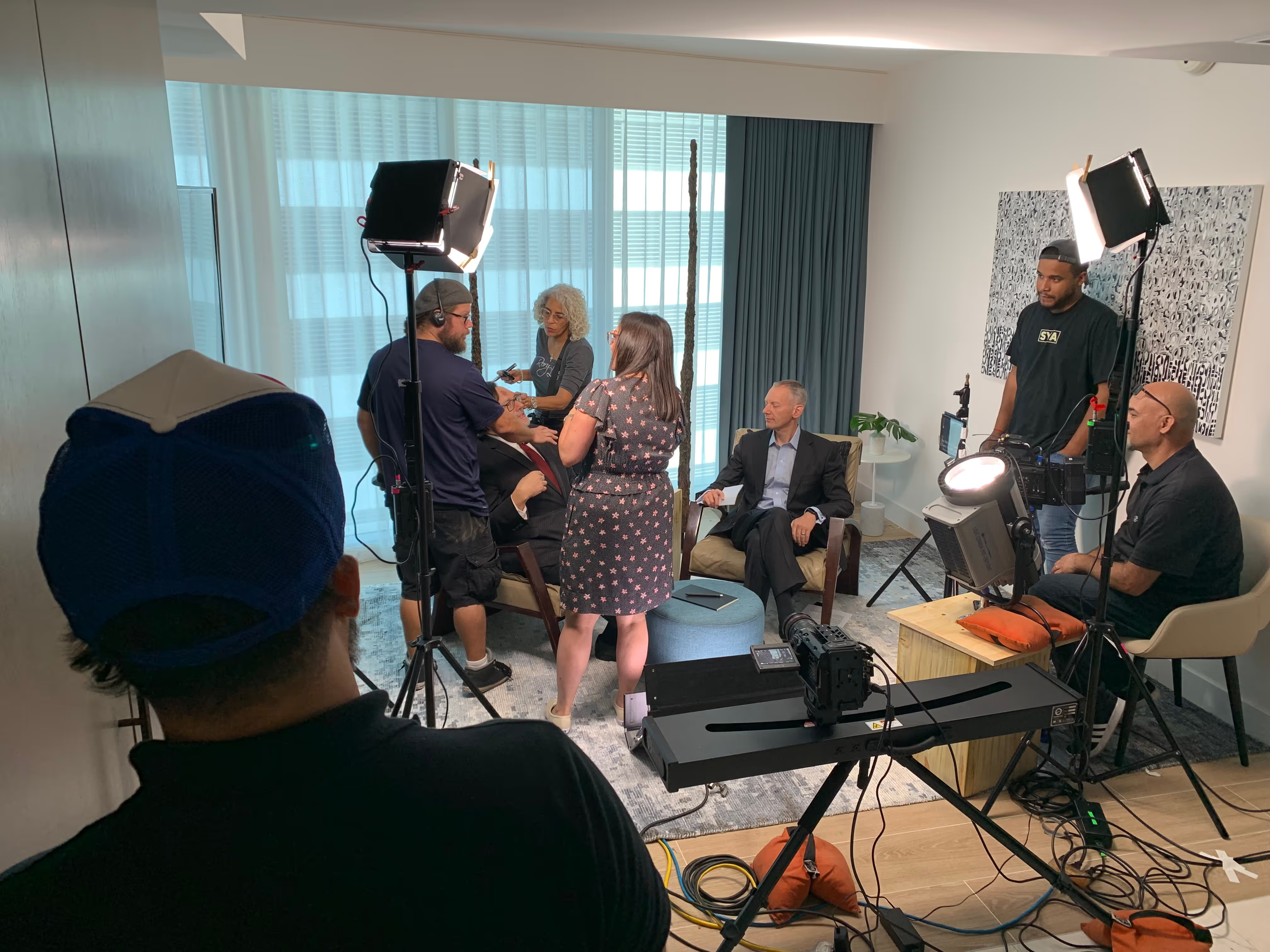
In Vimeo's survey, executives and younger staff reported the highest on-camera anxiety, and a leadership message video is where it shows most. On-camera executive coaching helps:
- Rehearse pacing and eye line before the shoot
- Use a teleprompter with short phrases, not paragraphs
- Allow retakes and keep the set simple
- Let leaders use their own words, so strong internal communication still sounds like them
- Film in a quiet room with steady lighting so footage matches earlier clips in the series
Producing Internal Video Across Offices and Remote Teams
Multi-location video production means filming in several markets without losing consistency, and internal video production across sites works best with one creative lead.
Team Unity Media's FAQ says it can coordinate simultaneous shoots in multiple cities under one point of contact, and can often crew up within 48 hours depending on the city. You can hire a nationwide video production crew so each office is filmed locally and edited into one piece.
For remote and distributed teams:
- Use screen recordings for lower-stakes updates
- Book a crew for announcements that matter most
- Record in blocks across time zones instead of one live session
- Keep one approach so remote and hybrid staff see the same story
- Share a recap link after live sessions so people who missed the event can share information with their teams
Distributing and Measuring Internal Video
Distribution comes first, because a clip no one can find does not do its job. Publish to the library, link it from where staff already work, and review distribution channels before launch.
Captions and subtitles matter for this format too. A 2019 Verizon Media and Publicis Media survey, covered by Forbes, found 69% of consumers watch with the sound off in public and 80% said they were more likely to watch an entire video with captions.
That is a self-reported consumer survey, not workplace data, but it supports captioning. Treat it as part of post-production.
Measure beyond view counts. Useful video metrics include:
- Completion rates and where viewers drop off
- Replays of training clips
- Poll answers on whether staff understood the update
- Questions sent to the team after policy updates
- Search activity in the library, which shows what people look for and cannot find
Mistakes That Make Employees Ignore Internal Video
- No distribution plan. Fix: decide the channel and the owner before filming.
- Wrong length. Fix: set a target runtime per format in the brief, and cut anything that does not serve the one-sentence message.
- No on-camera preparation. Fix: schedule coaching and a rehearsal.
- No captions. Fix: add them in post.
- Choosing a partner without comparing options. Fix: compare in-house options with an outside internal comms video agency, study examples from similarly sized companies, and avoid common hiring mistakes.
The Bottom Line
It works when each piece has one job: inform, align, or engage. Start with a brief, captions, and a library people can search.
Team Unity Media is a Boca Raton agency creating video and CTV content, with crews in 345+ cities and 1,000 projects completed. Past work includes behind-the-scenes content for Plarium, a sports promo for the Oklahoma Drill Championship, and a testimonial for ZYLIA.
See our past work, talk to a corporate video production company about onboarding and leadership updates, plan live streaming video production for all-hands events, and start your corporate video project today.
Related Posts