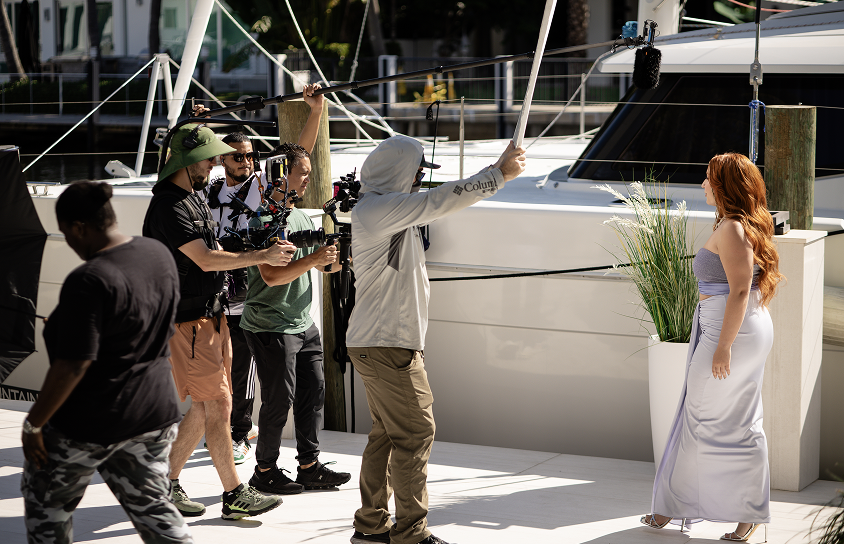
Repurposing Video Content: How to Get Weeks of Marketing Content From One Production Day
Most brands pay for a full shoot day, publish one video, and move on. This guide shows how to turn a single production day into weeks of marketing content. It covers planning the cuts in pre-production, building around a hero video, and which formats to pull from one shoot. It also covers matching each cut to the right channel, setting up a repeatable workflow and asset library, and measuring which cuts are worth keeping.

How One Production Day Can Fuel Weeks of Marketing Content
Most brands pay for a full shoot day, publish one video, and move on. Repurposing video content for social media changes that math. One production day can feed a month or more of posts, emails, and ads.
This guide shows how to repurpose video content from a single shoot. It gives you a video content repurposing strategy: what to shoot, which formats to cut, where each one runs, and how to measure results.
It also shows how Team Unity Media plans each project with distribution in mind from the start.

Key Highlights
- Plan the cuts in pre-production, not after the edit.
- One hero video anchors every cut, quote, and still.
- Match each cut to its channel's length and frame shape.
- A workflow and asset library keep output steady.
- Track engaged views, and retire weak cuts fast.
Why One Video Rarely Gets the Reach It Deserves
A single video on one channel reaches one slice of your audience. Pew Research found in 2025 that 84% of U.S. adults use YouTube, 50% use Instagram, and 37% use TikTok. A single upload reaches only part of that audience. Here is what goes wrong:
- A cut that works on YouTube can feel wrong in a LinkedIn feed.
- A full-length video gives social channels nothing to post.
- Long content hides its best moments. A ten-minute interview can hold several shareable quotes.
Repurposing long-form interviews gives every moment its own cut. Short-form video and long-form video then work together instead of competing. Multi-channel distribution spreads pieces of content across multiple channels, so each audience sees the version built for it. Plan your video distribution channels early.
Strong content marketing needs steady output. You can create more content without adding shoot days: plan once, then turn that content into multiple formats.
Plan for Repurposing Before the Camera Rolls
Repurposing starts in pre-production, not post. Teams that repurpose content well decide the cuts early. The rule is shoot once, cut many. Pre-production planning should cover four things:
- Output column: Build a shot list that names the assets each setup feeds. A founder interview might feed the hero video, three cut downs, and six quote excerpts.
- Framing: Keep the subject centered so a 9:16 crop works.
- Audio: Record clean sound on every take. Audio drives the video transcript, the podcast edit, and the blog post.
- B-roll: Capture extra b-roll footage, such as hands at work, screens, and product close-ups. It adds texture to quick cuts.
At Team Unity Media, projects start with discovery and pre-production, and our video experts plan each one with distribution in mind from the start.
Start With a Strong Hero Video
A hero video is the anchor piece of a shoot. It tells the full story in two to five minutes, and every smaller asset comes from it. A strong one has:
- A clear point and a human voice.
- Scenes that stand alone. A scene that needs the whole video will not work as a standalone cut.
- An original video master that stays untouched while you edit copies.
The anchor piece usually lives on your website and YouTube. Our branded content production includes social cutdowns, reels, and platform-specific exports.
The Formats You Can Pull From One Video
Lengths below are starting points, and shapes follow platform rules.
Three platform rules matter most:
- YouTube Help says square or vertical videos up to three minutes count as Shorts.
- Instagram Help says Reels can run up to three minutes.
- Reels use a 1080 x 1920 frame and crop to 4:5 in the main feed, so keep key action centered.
Plan aspect ratios early, and your vertical video edits will not need rescues. To repurpose long form video into short clips, start with the strongest ten seconds of each answer. For paid placements, see our guide to the best strategies for mobile video ads.
Do not stop at video:
- A transcript becomes blog posts, a newsletter, and written content for search.
- The same recording gives you audio content and podcast content.
- Educational content, such as how-to cuts, stays useful as evergreen content.
- Other ways to repurpose video cost almost nothing. A quote becomes a graphic for social media posts, and a still frame can lead a carousel. These content formats add visual content without a new shoot.
Matching Each Cut to the Right Channel
Each channel rewards a different shape, so repurpose social media content for each feed instead of reposting it.
- YouTube: Post the hero video in full as long-form content. To repurpose YouTube content, add vertical Shorts under three minutes. Re-cut old videos from YouTube too.
- Instagram and TikTok: Use 9:16 cuts at 1080 x 1920 for social content.
- LinkedIn: LinkedIn specs allow 16:9, 1:1, 4:5, and 9:16, from 3 seconds to 30 minutes.
- Website and email: Embed the full piece, and point every cut to it so viewers can watch the full video. Use cut downs as email teasers and a b-roll loop as a page background. Link each YouTube video from the page.
- Paid and CTV: Reformat lengths and aspect ratios per placement. Our video distribution and targeting service places video ads across streaming, digital, mobile, audio, and out-of-home.
Captions and subtitles are not optional:
- Some viewers watch with the sound off, so captions keep your message readable.
- The W3C defines captions as text in the same language as the audio, and subtitles as a translation.
- Burn captions into social cuts.
For more video repurposing ideas, test which cuts keep viewers watching and build on those.
Building a Repeatable Repurposing Workflow
Content repurposing means taking one piece of content and reshaping it for new formats and audiences. Real repurposing changes the frame, length, and hook, not just the file name. A video content repurposing strategy turns that into a loop:
- Log: After the shoot, tag every cut by topic, speaker, and quote.
- Cut: Edit the hero video first, then the cut downs, then the short video clips.
- Caption: Add captions and subtitles before export.
- Schedule: Place each asset in a video content calendar.
- Store: File everything in a video asset library with clear names.
Start with an audit of your existing content. Old interviews and event footage often hold usable cuts. There are creative ways to repurpose existing video too, such as turning an old launch film into a making-of reel.
Your video asset library is the backbone:
- Keep raw footage, masters, caption files, and approvals in one place.
- A video library like this lets next quarter's campaign reuse this quarter's b-roll.
- It supports a sustainable content strategy, with consistent content and steady content output between shoots.
Our post-production guide shows how we organize this stage.
Tools help, but judgment matters. Teams use AI tools to rough-cut long videos into short clips, and an AI video editor or a repurposing tool can speed up video editing.
A longer video gives these tools more to mine, but a human editor still checks the hook, the framing, and the facts.
A Sample Repurposing Map From One Shoot
An illustrative map for one half-day shoot: an executive interview, a customer testimonial, and b-roll. Counts are examples, not benchmarks.
Repurposing Different Types of Corporate Video
Content creators and brand teams can plan video content for different audiences by video type.
- Executive interviews: Pull one quote per cut, each answering one question.
- Testimonials: Cut a 15-second proof and a 60-second story. Strong testimonial videos work well in both, and real customer stories make content that resonates.
- Event coverage: One day of footage becomes a recap, a highlight reel, and speaker cuts.
- Explainers and demos: Split by feature, one cut each.
- Webinars and podcasts: Full recordings give you audio, quote cards, and brief cuts, which is engaging content for weeks.
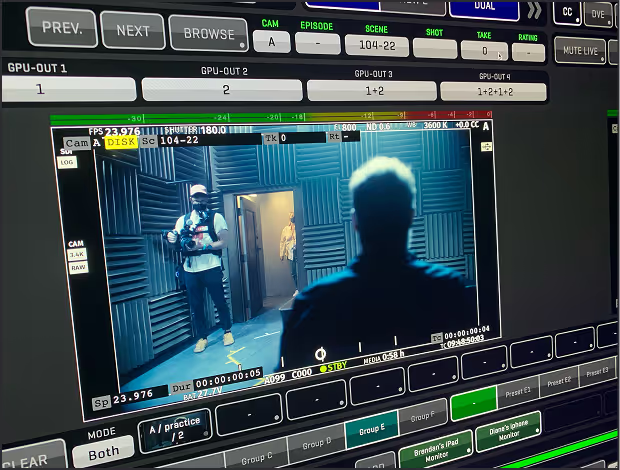
At Team Unity Media, founder Gordon Garreau has more than a decade of experience leading high-end television, commercial, and branded content productions. His portfolio covers BTS, EPK, and promo material for entertainment properties and networks such as Starz, AMC, HBO, and Nickelodeon, all formats built from shoot footage.
Measuring Whether Repurposed Content Is Working
Set one goal per asset: reach for awareness cuts, clicks for lead cuts, and completion for the master video.
- Use the right view count. Since August 24, 2026, YouTube counts a view from the first frame. The old stricter count is now called engaged views. Compare cuts on both numbers.
- Test one change at a time, such as the hook or the length.
- Keep the winners. Your best content shows what to shoot next. Retire cuts that stall after two or three weeks.
- Track cost per asset. Divide the shoot cost by all the content for social media made from it, and watch content creation get leaner. Each shoot should produce more high-performing content than the last.
Where Repurposing Goes Wrong
Teams often ask, "Should I repurpose my content?" Yes, but repurpose your content with each channel in mind. Avoid these mistakes:
- Posting the same file everywhere. Do not upload a video to every channel unchanged. Change the frame, length, and hook for each one.
- Cropping landscape into vertical blindly. Reframe each shot instead.
- Skipping captions. Caption every social cut before it goes out.
- Cutting moments that need context. Open each cut with the point, not the setup.
- Publishing everything in one week. Spread assets across your video content calendar.
- Missing approvals. Confirm talent releases, music licenses, and sponsor approvals cover derivative cuts before the shoot.
The Bottom Line
Repurposing content is a planning habit, not an editing trick. Decide the cuts before filming, build a library you can reuse, and let each shoot teach the next.
Team Unity Media is a Boca Raton video production company that also works in CTV and streaming, with a vetted crew network covering 345+ cities. See our projects, from the Verizon Showcase film to a ZYLIA testimonial with producer Joel Hamilton.
Ready to plan yours? Start your corporate video project with us, or hire a video crew, and settle the cuts before shoot day.
Related Posts